THE PERCEPTLE GUIDE
Count a flash of dots, track a moving ball, judge an angle, keep a beat and divide a line. The original Perceptle tests a different instinct each round.
In this guide
Perceptle at a glance
What is the original Perceptle?
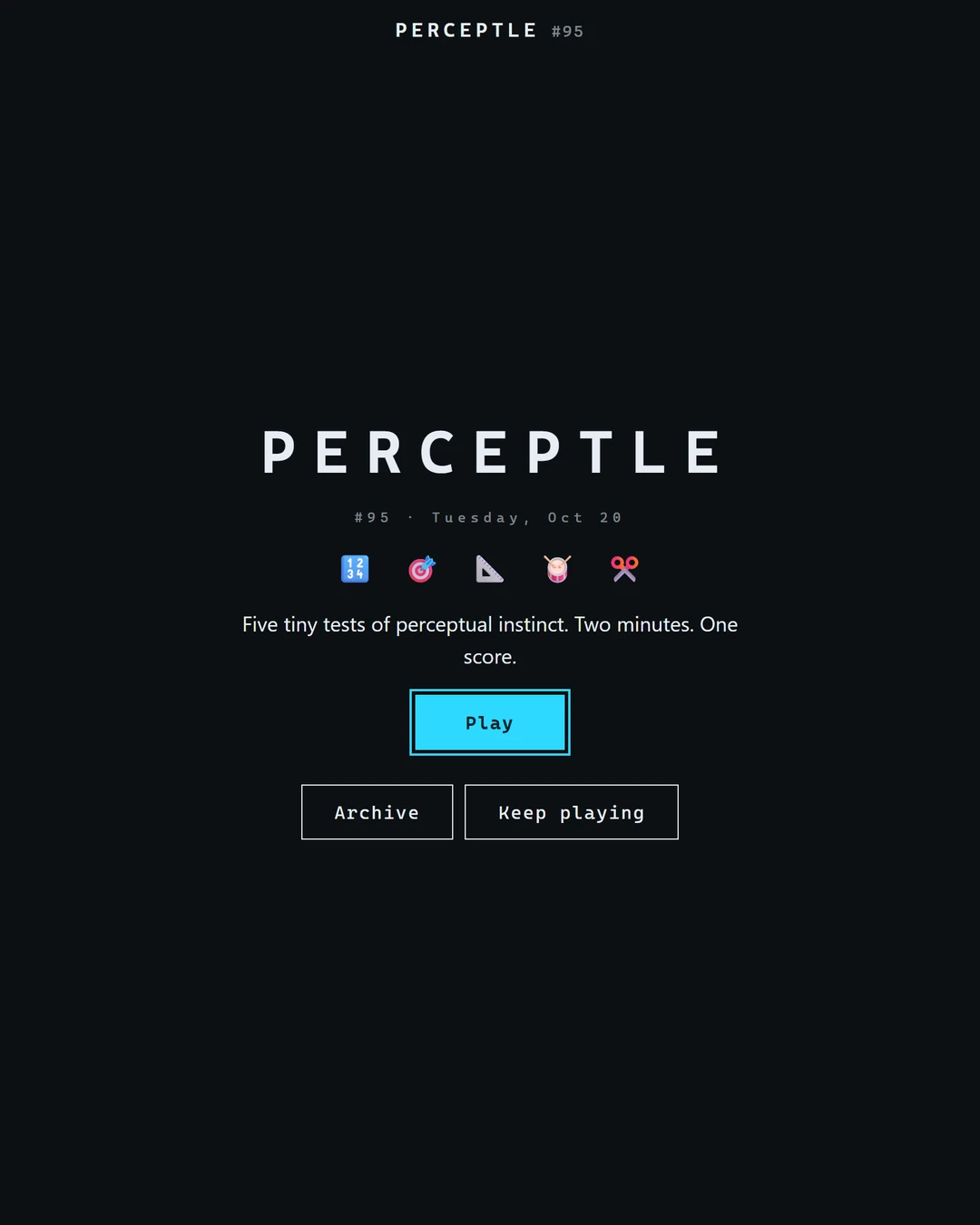
Perceptle at perceptle.com is a daily sequence of five short perception tasks. Its launch screen presents the set as roughly two minutes, followed by one result. The five named events are Count, Track, Angle, Tempo and Split. No vocabulary list or hidden trivia answer is needed to understand their basic aims.[1][2][3]
Use the exact destination when comparing instructions. Other sites use the Perceptle name for embedded versions, independent practice tools or a different number of tests. Their scoring, histories and extra modes need not match the five-event original described here.[1][2]
What happens in each of the five tests?
Count briefly displays dots and asks how many you saw. Track shows a moving ball, then asks you to predict its landing point after it disappears. Angle asks you to place a line at a specified counterclockwise angle. Each event provides its own instruction before you commit an answer.[2]
Tempo begins with audible beats and asks you to continue tapping after the cue stops. Split asks you to mark a stated fraction or percentage from the named end of a line. For the pointer-based tasks, the official instructions describe releasing the control as locking in the response, so read the direction before dragging.[2]
How Perceptle scoring differs from raw error
Perceptle converts performance in each event into a score out of 100, then uses the rounded average of the five event scores as the overall result. The result screen shows the event breakdown and a grade. Higher scores indicate a more accurate run; the displayed points are not simply the raw number of degrees, dots or milliseconds missed.[2]
For an original arithmetic example, scores of 80, 70, 90, 60 and 100 average to 80. The example is not a promised scoring curve and does not describe today’s challenge. It shows why one particularly weak event can change the combined result even when another event was excellent.[2]
Why a Friday challenge can feel different
The current original includes a Friday variant marked with a joker. Its instructions change the tasks: dots move, the tracked ball can ricochet, angles may extend beyond one full turn, rhythm shifts to offbeats and a fraction can fall beyond the reference line. These are task variations, not reasons to ignore the instruction screen.[2]
For an ordinary Split example, one quarter from the right-hand end is not the same point as one quarter from the left. For Angle, distinguish the named horizontal reference from a visually tilted background. Slow down long enough to identify the reference, then make the perceptual judgment the event actually requests.[2]
Daily play, Archive and Keep playing
The original offers a dated Archive and a Keep playing option. Generated practice rounds are labeled as not recorded, distinguishing them from recorded dated results. The game follows the local calendar. Use the displayed puzzle date when comparing a run with a friend, and keep practice results separate from the daily challenge.[2]
After a result, use Share to send a compact summary. The results screen may also show how your run compares with other recorded players. Read that comparison in the context of the displayed date and player group: a daily game result describes this challenge, rather than a population-wide measure of perception.[2]
A consistent setup makes comparisons more useful
Give each run the same practical conditions: a stable screen size, a comfortable pointer or touch posture, and audible sound for Tempo. Switching devices changes the physical movement used to answer, so compare runs thoughtfully rather than interpreting every score change as a change in ability.[2]
Use the event breakdown to choose what to practice. Count benefits from noticing clusters instead of trying to name every dot; Track asks you to continue the observed motion rather than chase the disappearing ball; Tempo rewards a steady internal pulse rather than frantic correction after one imperfect tap. These are editorial approaches, not guaranteed techniques.[2]
Do not confuse this game’s 0-to-100 points with Hundo’s numbers. Perceptle converts accuracy into higher-better points, whereas Hundo asks for a number and scores the distance from its answer, with lower error better. The two scales describe different things.[2][4]
Perceptle FAQ
How many tests are in Perceptle.com?
Five: Count, Track, Angle, Tempo and Split.[2]
Is a higher Perceptle score better?
Yes. The original produces accuracy points for each event and a rounded average for the result.[2]
Do I need sound?
Tempo relies on audible beats. The other events use visual or pointer judgments.[2]
Can I play after today’s challenge?
Yes. The original has Archive and Keep playing controls. Generated practice rounds are labeled as not recorded.[2]
Sources & verification
Checked · Daily Games editorial desk
- Original Perceptle game perceptle.com
- Official public Perceptle instructions, scoring and archive interface perceptle.com
- Playlin reviewed Perceptle guide playlin.io
- Official Hundo number-distance rules hundo.today
Rules and access notes use the sources linked above. Examples and strategy suggestions are our editorial explanations, not guaranteed solutions. Original games can change. How we research guides.
Did this guide help?
Help us keep Perceptle useful and accurate.