Drink the Ocean
THE DRINK THE OCEAN GUIDE
Start at the shoreline with a straw. Carry the water to the press, earn salt, and improve the next trip.
In this guide
Drink the Ocean at a glance
How to play Drink the Ocean online
Open the Playgama player and choose Let’s Play. Pinidi Studio’s game starts on a blocky coast with a straw, a small belly meter and a marker for your next task. Aim toward drinkable water, click to sip, and carry one load to PRESS. Spend the salt it produces, then head back to the shoreline.[1][2]
This page covers Pinidi Studio’s Playgama browser edition. Store listings and Roblox results can describe separate games with their own controls, progress and upgrade tables.[1][2]
Pinidi Studio’s original browser game
Playgama lists the publisher’s basic controls, shoreline loop and later discoveries.
View source · playgama.comWhat each meter tells you on the first trip
Belly capacity measures the water you can carry on one trip. Ocean Drunk measures progress through the level, and the salt counter is what you can spend. A full belly pauses further sips until you unload it. Use the label in the top-left meter to tell whether the next step is another drink or a trip inland.[1][2][4]
In the tested starting build, the straw took 2 L per successful sip and the belly held 10 L. That gives you a useful check on input: after one accepted sip the meter should increase, and after five it should be full. Stop watching the ocean percentage when you are troubleshooting a single click. The belly meter gives a more immediate answer.[2][4]
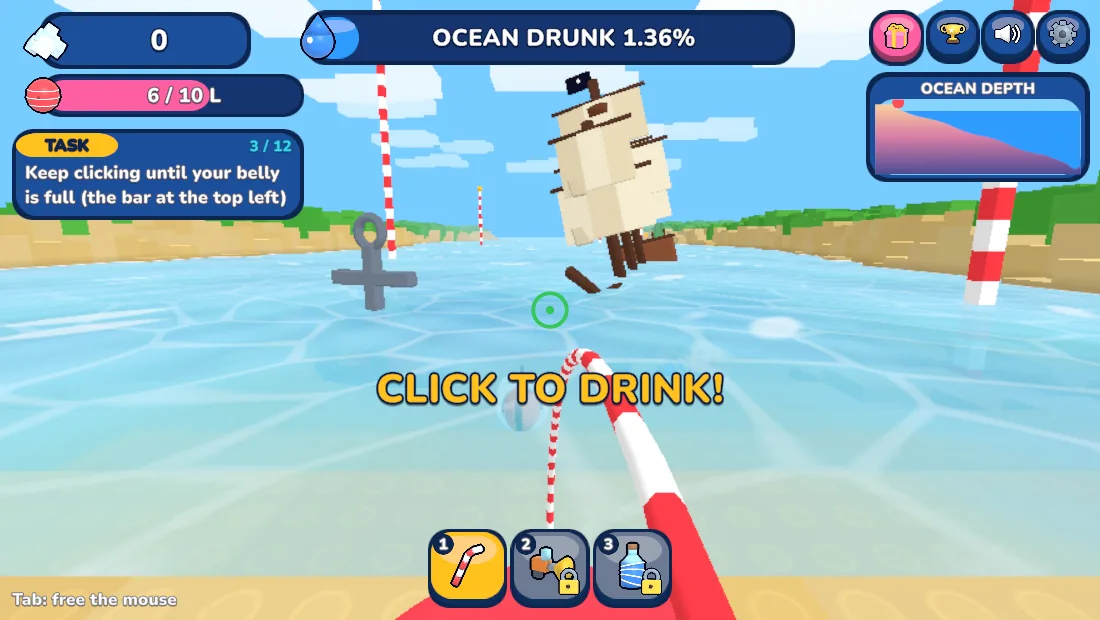
In the desktop run we reached 6/10 L and 1.36% ocean progress, while salt remained at zero. If the ocean percentage moves while salt stays still, the straw is working. Your next payout comes from using the press.[2]
Why does the straw stop drinking?
Check the belly meter and the aim reticle. A full meter means return to PRESS. If the meter still has room, look at the water until the aim marker indicates a drinkable spot and make a distinct click or tap. In the starting build, holding the button is not a substitute for buying the Hold to Drink upgrade.[2][4][5]
How to turn water into salt at PRESS
Salt comes from unloading at PRESS. Carry the water over and stand under the press. It removes the water from your belly and adds salt you can spend at SHOP. On a first run, follow the tutorial marker and walk onto the shop pad when prompted. Try this once before experimenting with routes.[1][4]
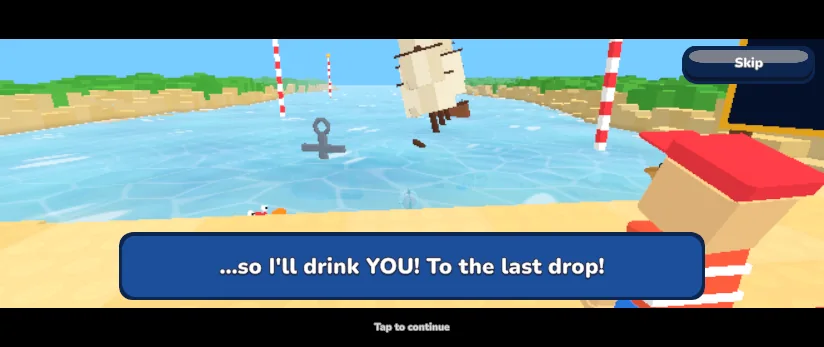
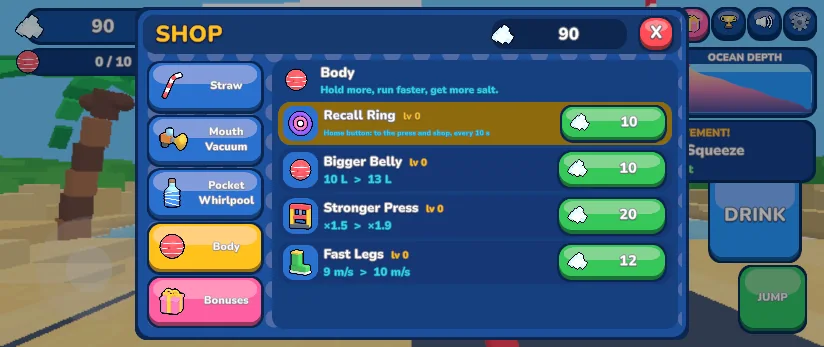
On a phone-sized landscape screen, tapping DRINK advanced the tutorial from the coast to the first press trip. In the shop immediately afterward, the belly was empty and the balance showed 90 salt. On that screen the Body tab listed Recall Ring and Bigger Belly at 10 salt each. Check the balance after unloading and before spending it, especially if a milestone award lands at the same time.[2][4]
If you can drink but get no spending money, separate the checkpoints. First confirm the belly meter increased, then use the marked press and watch the salt total. That tells you whether the problem is getting water or processing it.[1][4]
Which upgrades make the early trips easier?
The shop offers changes to drinking, capacity, movement and salt conversion. More capacity can reduce trips. A bigger sip fills that capacity sooner. Movement or Recall Ring is more valuable when most of your time is spent moving to and from the press.[1][4][5]
Do one plain trip before buying upgrades. If you spend more time clicking at the shore, look at the Straw tab. If the walk back interrupts every short load, look at Body or the route back to the press. Pick the change that saves time on your actual trip, and check the next belly load or salt amount to see its effect.[4][5]
Desktop controls, landscape touch and mouse capture
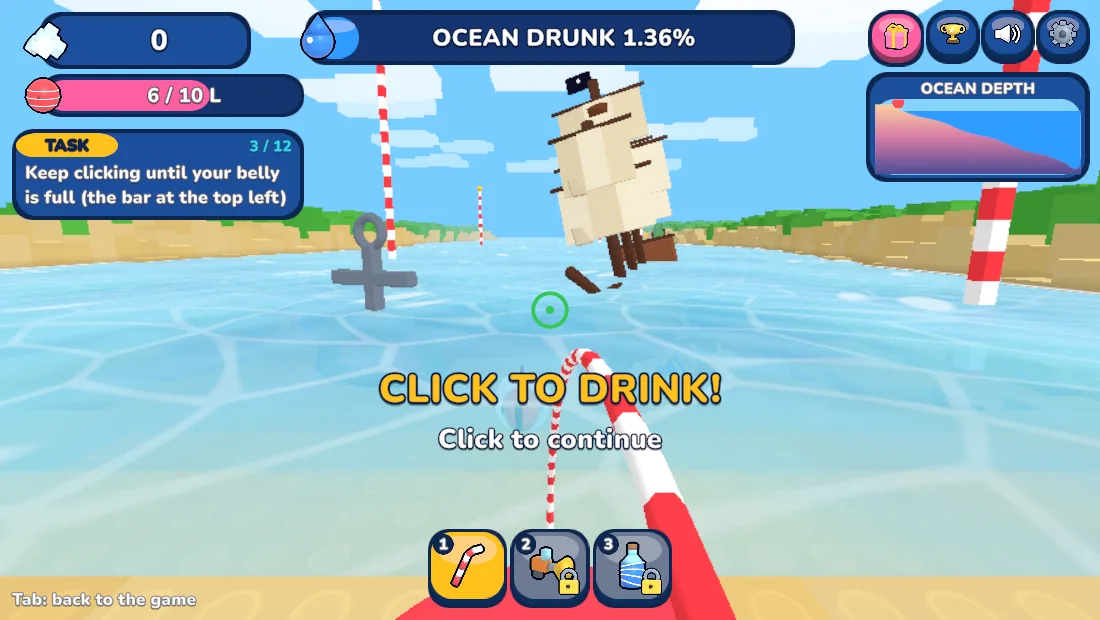
On desktop, click inside the game to take control, move with WASD, look with the mouse and left-click to drink when the target is valid. Use Tab to release the mouse when you need the rest of the page. On touch devices, use the movement area and DRINK button in landscape. The publisher may show an ad before the game starts.[1][2][4]
If the desktop mouse looks stuck, use Tab and then click inside the game again when you are ready. On a phone, turn sideways before beginning. If the embedded player has trouble restoring a save or taking input, use the publisher link beneath it and try the same build there.[2][4]
Captured by Daily Games from the original game
Open the Playgama partner player
The same publisher player used on this page, with its original buttons and tutorial.
View source · playgama.comWhat happens when you reach the plug?
As the water lowers, it exposes more of the seafloor. The publisher lists a shipwreck, a whale skeleton and a sunken city. At the bottom, pulling the plug starts a new ocean. The press and shop explain the early loop. The plug is a later goal, after you have explored and upgraded.[1]
Read the publisher’s mode and save prompts before treating another build as a continuation. The browser progress you see belongs to the publisher’s player, and an optional Playgama sign-in is offered for saving progress.[1][2]
Drink the Ocean FAQ
Can I play Drink the Ocean free in my browser?
Yes. Pinidi Studio’s Playgama edition runs in a browser. Open the player, use the publisher’s Let’s Play screen, and dismiss any introductory ad when the Close control appears.[1][2]
Sources & verification
Checked · Daily Games editorial desk
- Playgama · Pinidi Studio’s Drink the Ocean and official controls playgama.com
- Playgama · official Drink the Ocean partner player playgama.com
- Playgama partner documentation · game catalog and iframe player wiki.playgama.com
- Independent field guide · tutorial and first press trip www.drink-the-ocean.com
- Independent shop audit · upgrade effects and unlock costs www.drink-the-ocean.com
Rules and access notes use the sources linked above. Examples and strategy suggestions are our editorial explanations, not guaranteed solutions. Original games can change. How we research guides.
Did this guide help?
Help us keep Drink the Ocean useful and accurate.