THE MINELLION GUIDE
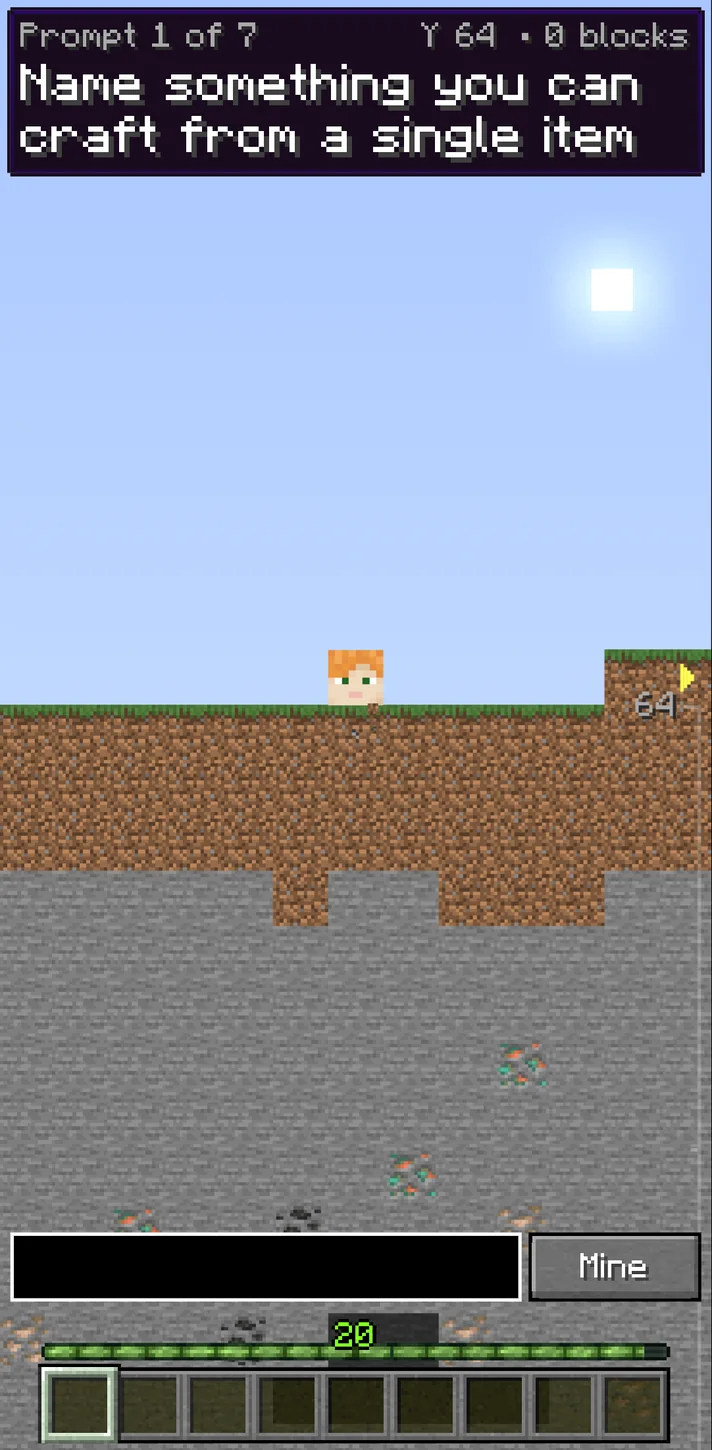
In our Minellion playtest, a rejected Minecraft item left the answer box open. We could try another item on the same prompt while the clock kept running.
In this guide
Minellion at a glance
How do you play Minellion’s daily Minecraft quiz?
Open Start today’s dig. A prompt gives you a category, and the answer field appears after a short lead-in. Type one thing that fits the wording and select Mine. Each accepted answer digs a certain number of blocks. Press Next prompt when you are ready to continue.[1]
Open the game after deciding how much time you want to spend. The clock runs during the question, and the feedback screen gives you room to check your result before deciding what to remember for the next prompt.[1]
What happens when your Minecraft answer is accepted or rejected?
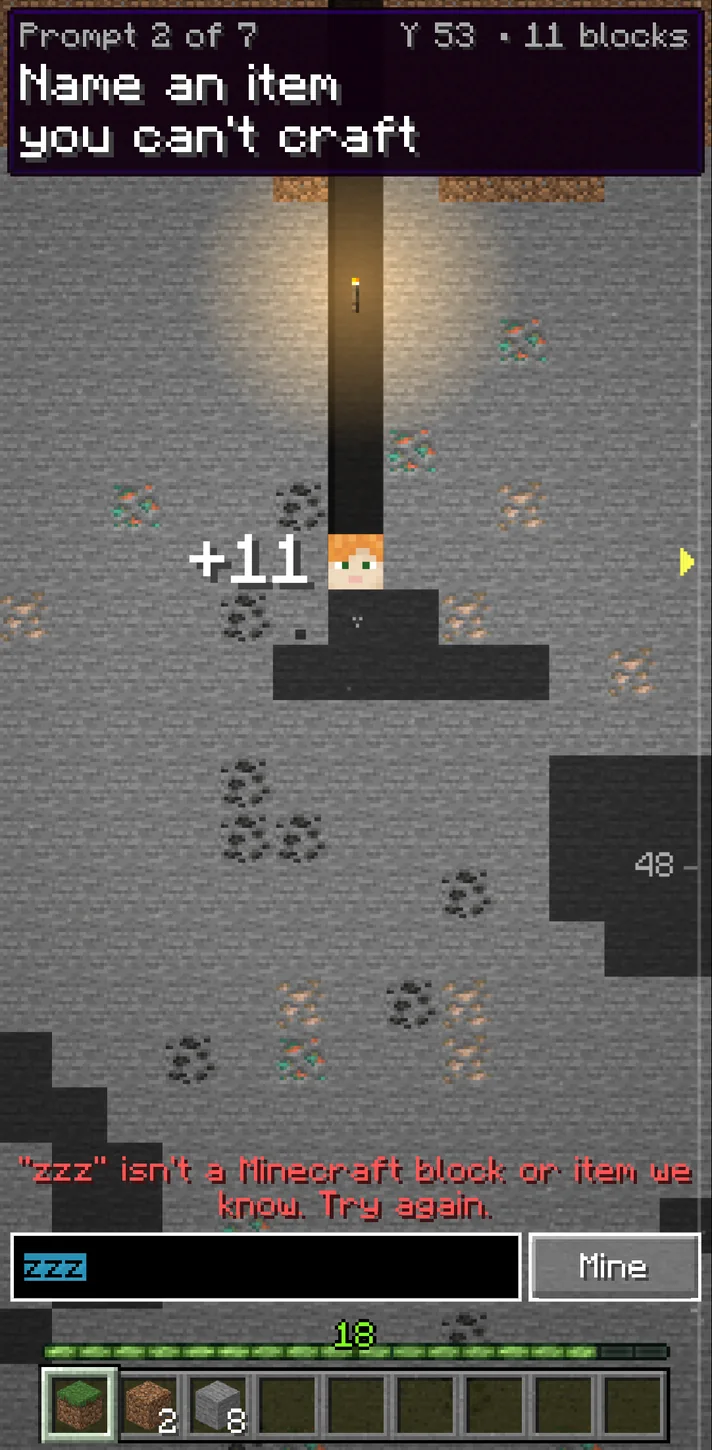
In the November 19 dig, we tried a valid crafted item and saw an Uncommon result worth 11 blocks. The result also reported that about 6% of players picked it. On the next prompt, the game rejected a nonsense input as unrecognized. It then recognized a real item but told us it did not fit that particular prompt.[1]
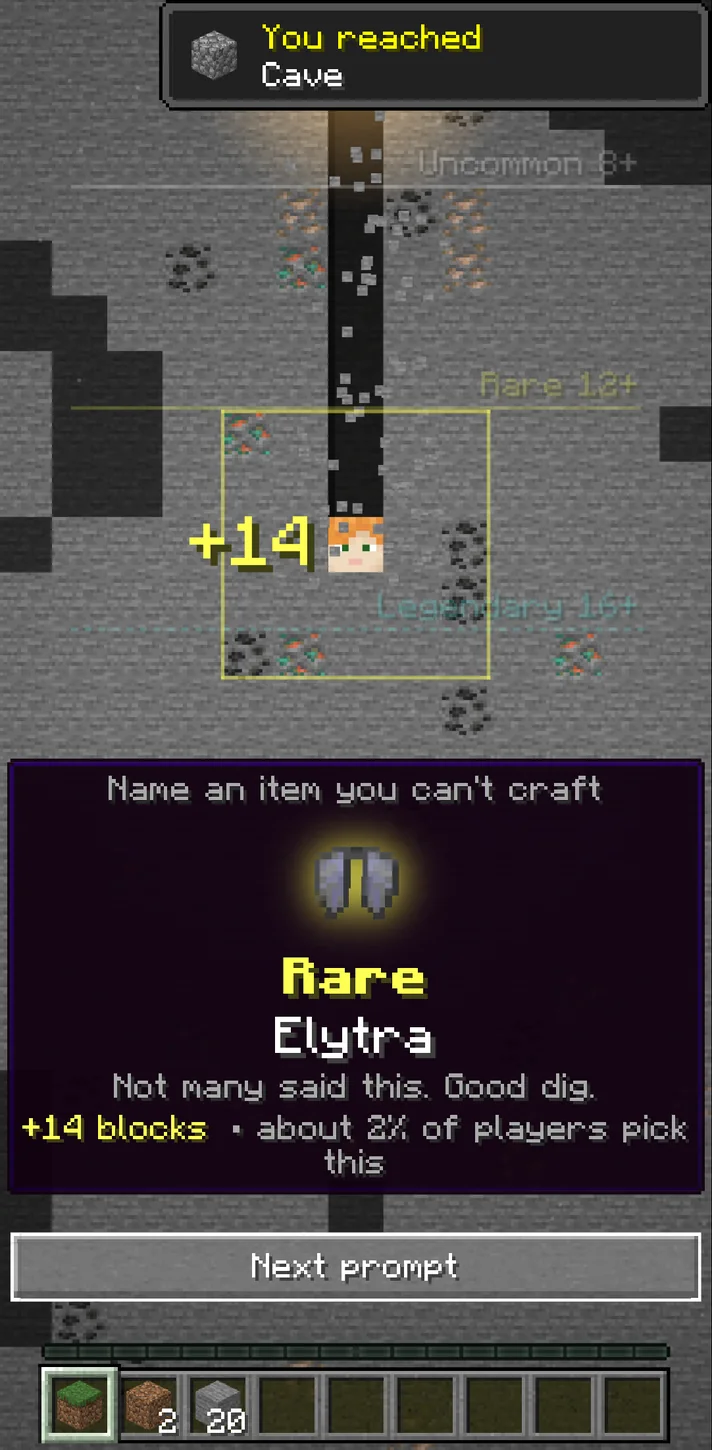
Both rejections left the answer field open. We changed the input within the same countdown and scored a Rare choice worth another 14 blocks, shown at about 2% of players. The running total rose from 11 to 25. The percentages describe that run and can move as more players answer.[1]
How can you recover from a rejected item before the clock expires?
Read the rejection. For an unrecognized item, try the ordinary inventory name. If the game says it knows the item but that it does not fit, stop retyping it and change your example. Give yourself a few seconds for that second try.[1]
How do rarity tiers and the hotbar work?
The game grades an eligible answer as Basic, Uncommon, Rare, Legendary, Mythic, or One in a Minellion. The top tier is worth 30 blocks and is the game’s selected very rare answer for that prompt. The feedback can give both the tier and the proportion of players who chose an accepted word.[1]
Each block digs your player farther from the starting elevation. The game puts the excavated blocks into hotbar stacks and sets bedrock 128 blocks down. Read the Blocks dug total before interpreting the Y coordinate, since one increases as the other goes down.[1]
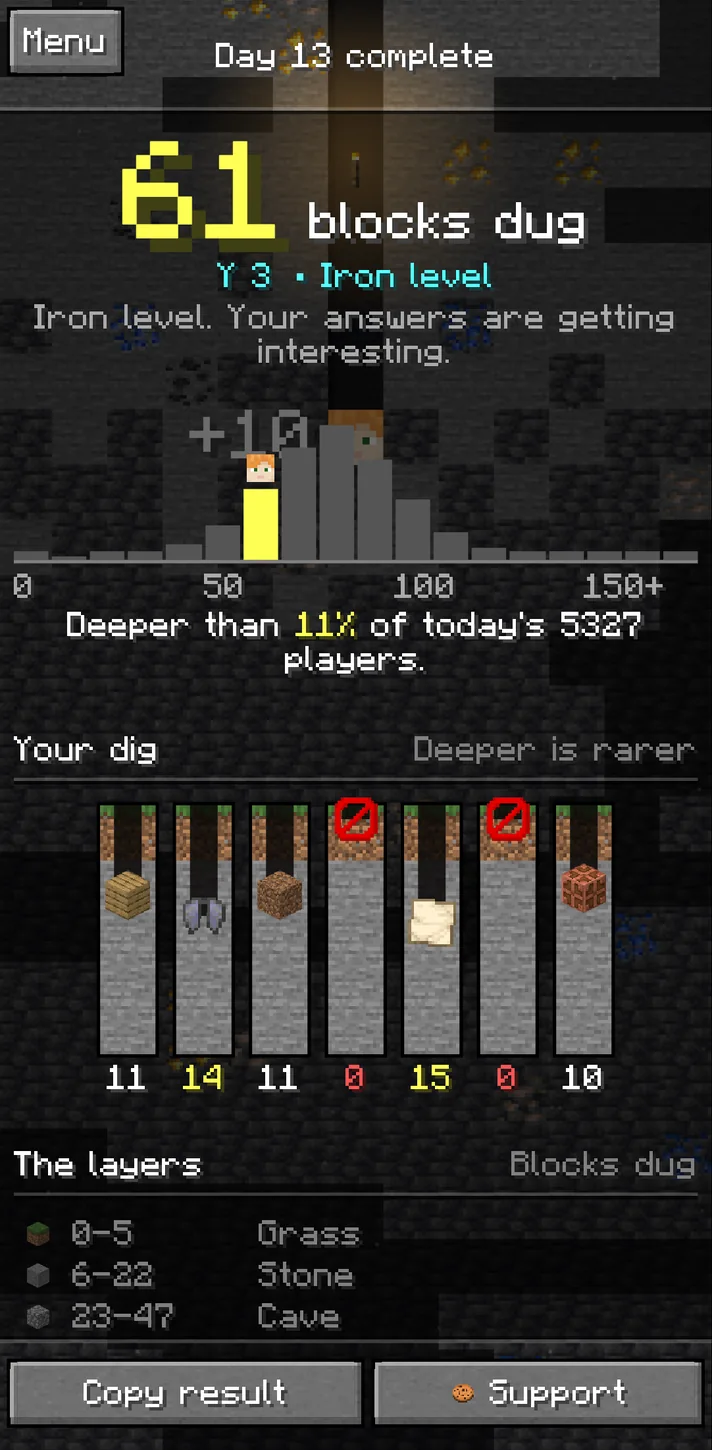
The full test run ended at 61 blocks, labeled Iron level. The final chart exposed separate values for all seven prompts, including two zeroes. That makes it easier to tell whether you need more valid guesses or a rarer selection on the prompts you already answer.[1]
Do different editions, variants and old item names count?
The in-game instructions include Java, Bedrock, Education and China editions. The version we checked says separate wood slabs, wool colours and copper stages can count individually. A prompt can still narrow which variants are eligible, so read its exact wording before choosing your item.[1]
Try a specific named variant when it clearly fits. That gives you a defensible answer without relying on a deliberately strange spelling. Older names and typos may resolve to a known item, so use the accepted name in the feedback to see what the game credited.[1]
The original Minellion dig
Use How to play on the original game to see the current rules for editions, named variants and accepted inputs.
View source · minellion.ioWhich Minecraft Krillion version is Minellion?
Minellion is Hydro’s independent browser game about Minecraft. It uses a rarity challenge similar to Krillion, with a mining depth and Minecraft prompts. It does not require a Minecraft installation. Search results for Minecraft Krillion also include separately made browser games and Bedrock add-ons.[1][2][5]
If it is Hydro’s daily dig you want, open minellion.io and look for Start today’s dig. The original distinguishes guest play from optional Google sign-in.[1][4]
How is Creeper Party different from the daily dig?
Creeper Party opens its own lobby with Quick play, Ranked, Host a room and a room-code join field. Use the host and join controls when you have an agreed room instead of sending friends to the solo challenge. The lobby lists live play for 2–16 players.[3]
Choose the solo game for the shared daily set. Use the multiplayer lobby for a live group session, and check its own instructions before starting a round.[1][3]
Creeper Party lobby
The publisher’s live multiplayer lobby includes host, join and room code controls.
View source · minellion.ioMinellion FAQ
Do I need a Minecraft account to play Minellion?
No. The browser game opens as a guest. Google sign-in is optional.[1][4]
Can I give another answer if my first one is refused?
Yes, while the timer is still running. An unrecognized word or an item outside the prompt can be replaced.[1]
Can I play Minellion with friends?
Open Creeper Party for a multiplayer lobby. Host a room or join with a code to meet the same group.[3]
Sources & verification
Checked · Daily Games editorial desk
- Minellion · original game and in-game rules minellion.io
- Hydro · creator and project introduction ko-fi.com
- Minellion · official Creeper Party lobby and rules minellion.io
- Minellion · guest identity and optional account minellion.io
- Beebom · comparison of Minecraft Krillion versions beebom.com
Rules and access notes use the sources linked above. Examples and strategy suggestions are our editorial explanations, not guaranteed solutions. Original games can change. How we research guides.
Did this guide help?
Help us keep Minellion useful and accurate.